Workspace
/
Team & roles
Team & roles
A workspace is shared. Members are invited by email, hold a role that decides what they can change, and can be removed when they move on.
3 min read
Inviting people
Team membership is managed under Settings.
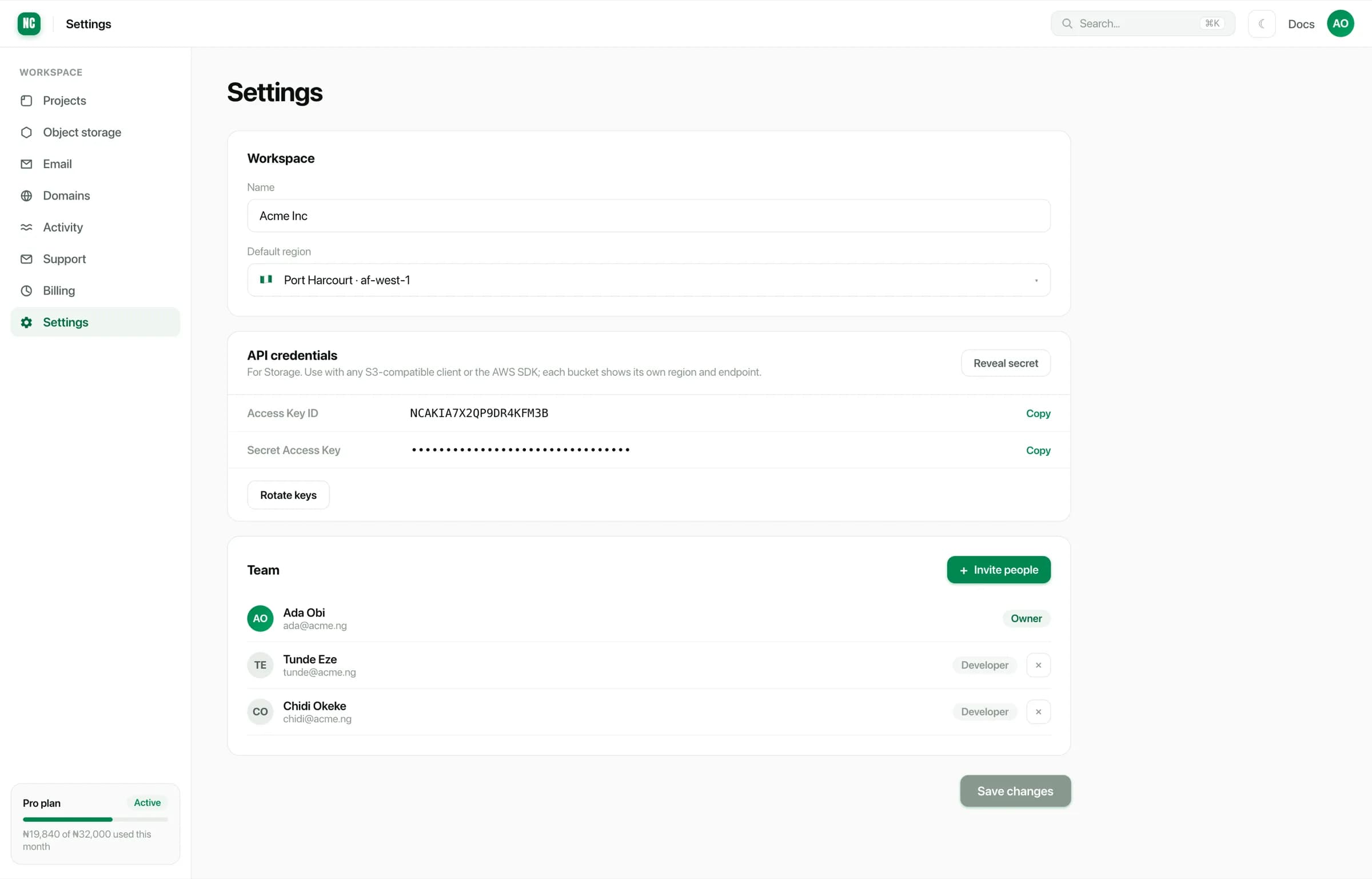
Choose Invite people, enter an email address and a role. The invitation is sent to that address, and the person joins by accepting it. Until they do, the invitation shows as pending.
Invite the address someone actually uses for work. An invitation sent to a personal address is awkward to unwind later, because activity is attributed to whichever account accepted it.
Roles
Each member holds a role. The Owner created the workspace and has full control, including billing and the ability to remove members. Other members hold roles scoped more narrowly. A developer role, for example, covers day-to-day work on projects and services without workspace-level administration.
The roles available, and exactly what each grants, are shown when you invite someone or change an existing member's role.
Anyone who can deploy can also reveal environment variables and secret files for the environments they work in. That is inherent in being able to configure a service. Treat access to production configuration as access to the credentials in it.
Changing a role
A member's role can be changed at any time. The change takes effect immediately, so they do not need to sign out and back in.
Removing a member
Removing a member revokes their access to the workspace at once. What they did stays in the activity log. Removing someone does not erase the record of their deploys and changes.
When someone leaves, also consider:
- Rotating shared credentials they had access to, including the S3 keys and any third-party keys held as environment variables.
- Reassigning anything personal to them, such as an alert address or a domain registered under their name.