Storage
/
Object storage
Object storage
Buckets hold the files your application does not keep in a database: user uploads, images, exports, backups. They speak the S3 API, so existing tools and SDKs work against them unchanged.
4 min read
Buckets
A bucket is a namespace for objects, created at the workspace level rather than inside a project. Several applications can share one, or each can have its own.
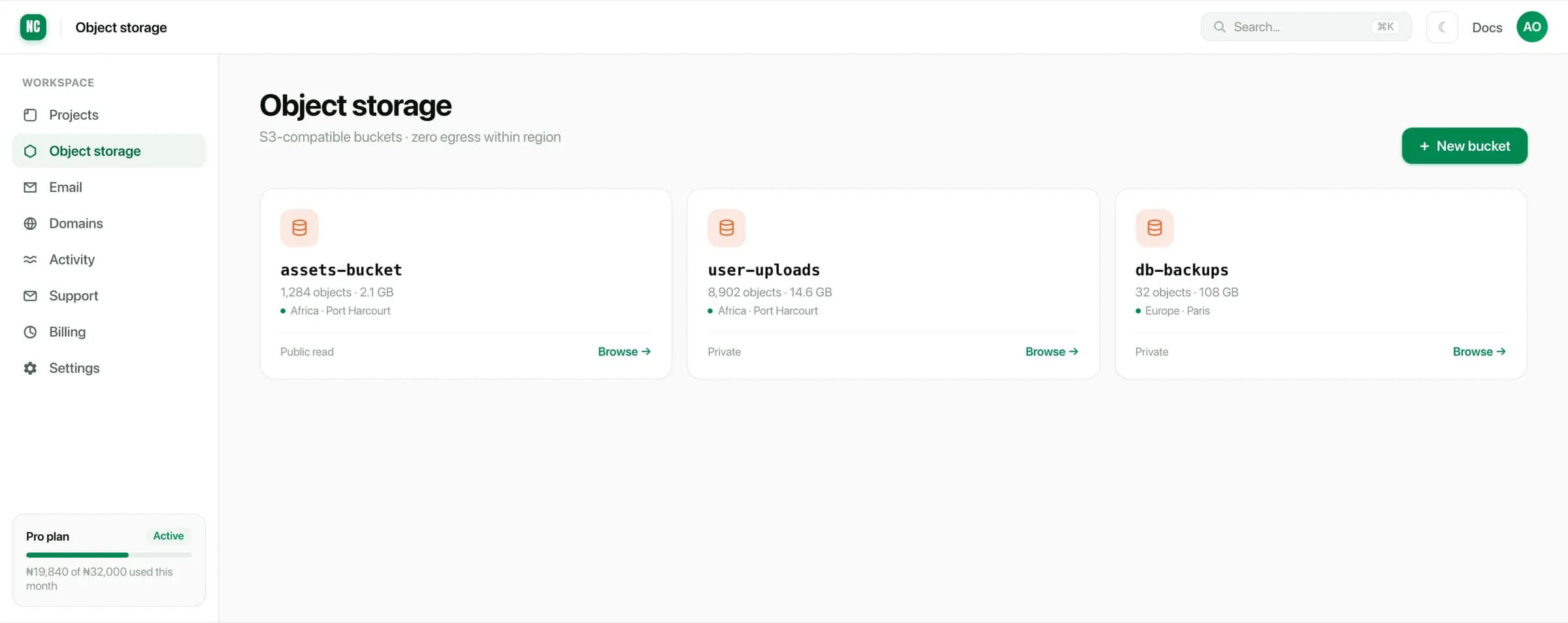
Each bucket shows:
- Objects and size, so you can see what is actually using space.
- Region. Buckets are regional, and the region is fixed when you create one.
- Access. Whether objects are publicly readable or private.
Creating a bucket
Choose New bucket, then give it:
- A name, unique within your workspace.
- A region. Put it where the services that read it run.
- An access level, either private or public read.
A bucket's region is set at creation and cannot be changed afterwards. Moving the data means creating a bucket in the new region and copying objects across.
Public or private
Private is the default and the right choice for anything belonging to a user: uploads, documents, exports. Objects are reachable only with credentials, or through a link your application signs.
Public read makes every object in the bucket readable by anyone with its URL. Use it for assets that are already public: site images, CSS, downloadable brochures.
Public read applies to the whole bucket. Keep public assets and user uploads in separate buckets, so making one public never exposes the other.
Choosing a region
Put a bucket in the same region as whatever reads it most:
- Assets served to visitors → the region closest to those visitors.
- Uploads processed by a service → the same region as that service.
- Database exports → the same region as the database.
Transfer between a service and a bucket in the same region does not cross the public internet, which is both faster and cheaper than pulling across regions.
What to put in a bucket
Buckets are for the things you do not want in Postgres:
- user uploads, such as images, avatars and documents,
- generated files, such as invoices, reports and exports,
- large static assets kept out of the build,
- database dumps and archives.
Files stored in a bucket survive redeploys. Anything a service writes to its own container disk does not, because a container is replaced on every deploy.
If your app currently writes uploads to local disk, move them to a bucket. Those files are lost on the next deploy, and are not visible to a second copy of the service.