Projects, environments & services
Four ideas cover the whole platform. Knowing how they nest saves you from modelling the same application twice.
4 min read
Workspace
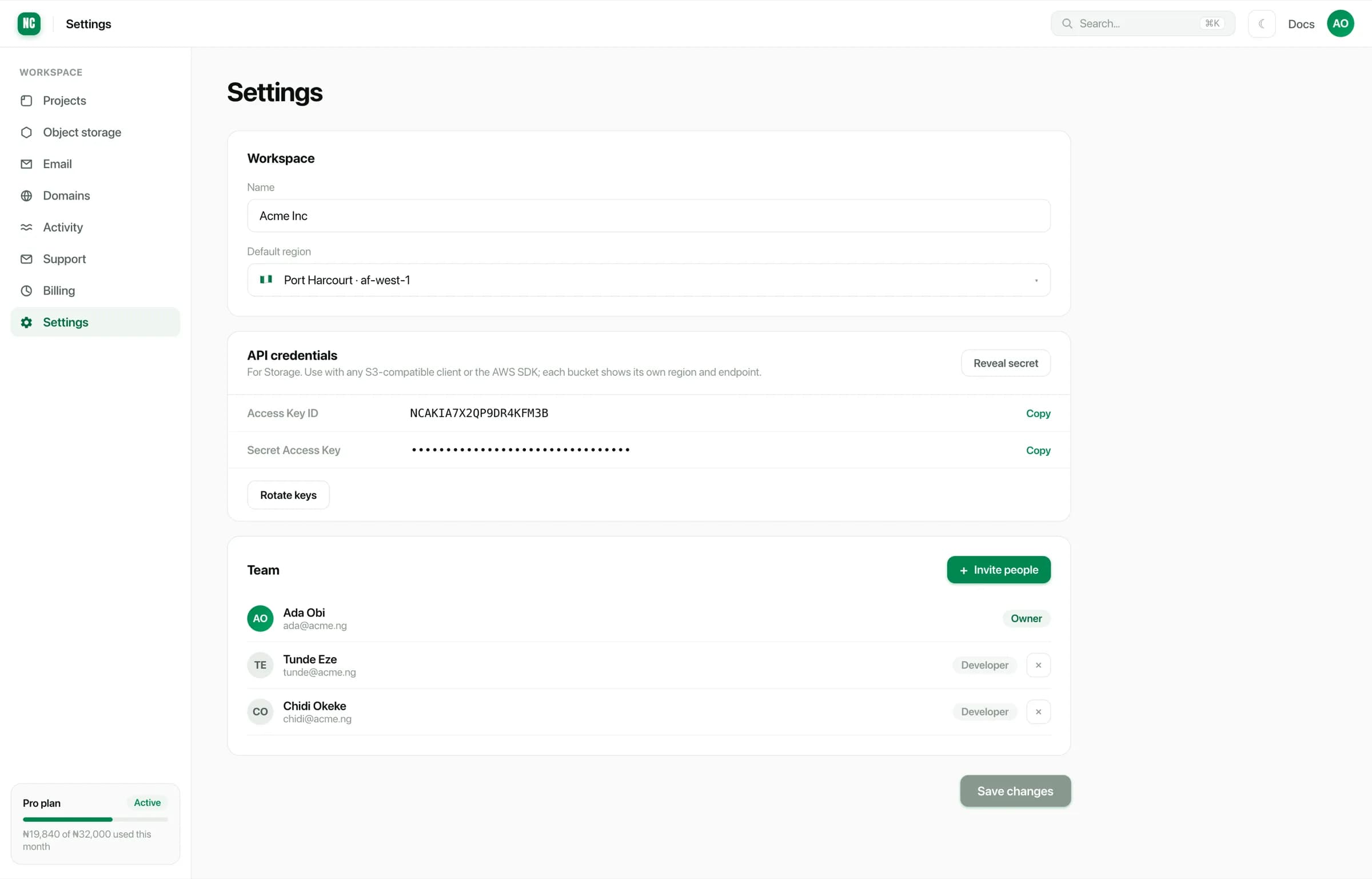
The outermost container. A workspace owns your projects, your object storage buckets, your registered domains, your team members and your billing.
Workspace-level settings live under Settings. That covers the default region for new resources, your S3 credentials and team membership.
Project
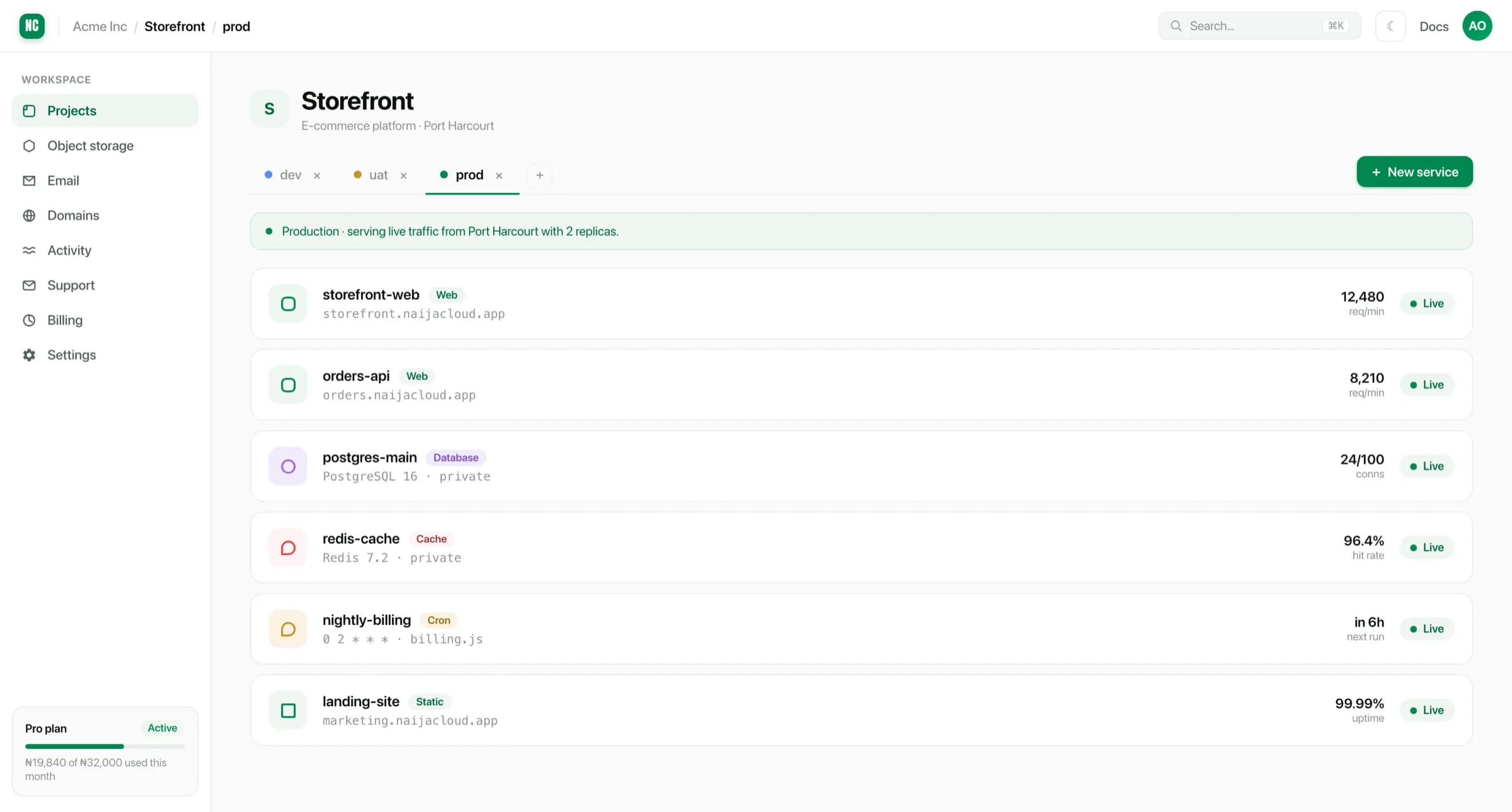
A project groups the services that make up one application. A storefront with a web front end, an API, a database, a cache and a nightly job is one project with five services, not five projects.
Projects show their services and which region they run in:
Environment
Every project has environments, dev, uat and prod by default. Every service
exists once per environment. Switching the environment tab switches which copy of
the service you are looking at.
Environments are isolated in the ways that matter:
- Variables are per environment. A value set in
prodis not visible indev. Only variables you explicitly scope to all environments are shared. - Deploys are independent. Deploying
devdoes not touchprod. - Databases are separate instances, so you can run a destructive migration in
devwithout risk.
Environments already isolate configuration and data, so creating a second project for "the staging version" of an app just duplicates work. Use environments instead.
Service
A service is one running thing. There are five kinds:
| Kind | What it is | Billed on |
|---|---|---|
| Web service | A container serving HTTP traffic | Instance type, while running |
| Static site | Built files served from disk | Bandwidth only |
| Cron job | A command on a schedule | Run time |
| Database | Managed Postgres, MySQL or Redis | Instance type and storage |
| Object storage | An S3-compatible bucket | Stored bytes and bandwidth |
Web services, static sites and cron jobs are built from a source repository. Databases and buckets are provisioned rather than built, so they have no build configuration.
Regions
Each service picks the region it runs in, so you can keep an application close to the users who need it. You choose the region when you create the service, and it is shown on the service's overview and settings pages.
Services in the same project and region reach each other over the internal network. That is why a database connection string can point at an internal address instead of the public internet. See Connecting to a database.
The regions available to you are listed in the region picker when you create a service. Your workspace's default for new resources is set under Settings.