Workspace
/
Usage & billing
Usage & billing
NaijaCloud is prepaid. You add funds, your resources draw from that balance daily, and you can see the figure at any moment. There is no subscription, and no invoice waiting at the end of the month.
6 min read
How it works
Five sentences cover the whole model.
You add funds to your workspace balance. Running infrastructure meters continuously and draws from that balance once a day. Every workspace gets a monthly usage credit, applied before your balance is touched. Nothing charges you for having an account, and nothing charges you for deploying. When you delete a resource, it stops costing money immediately.
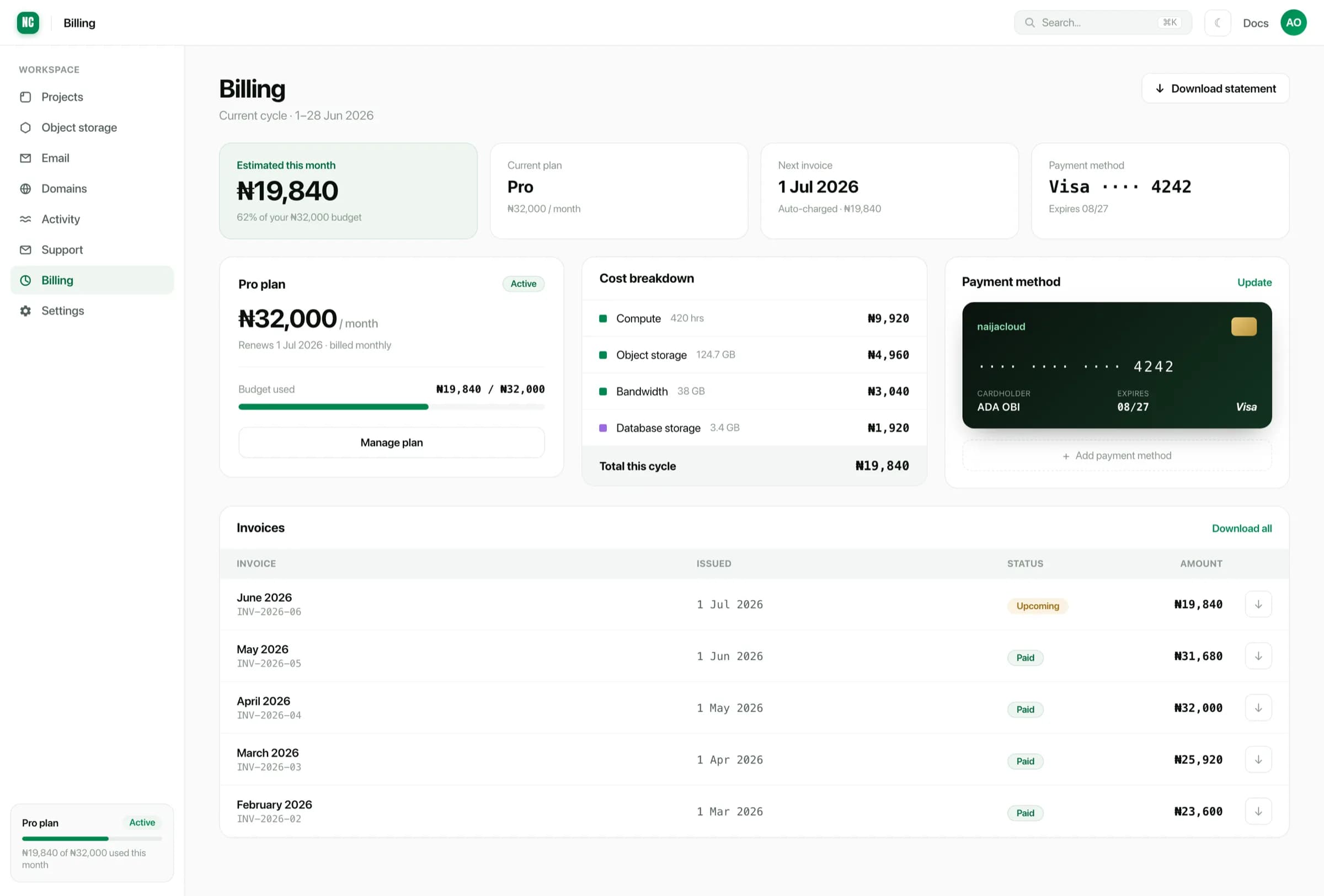
There is no plan to choose and no card kept on file. Billing shows your balance, what a full month costs at your current configuration, and roughly how long the balance covers that.
What is metered
| Resource | Charged on |
|---|---|
| Applications | Memory and CPU you provisioned, per hour running |
| Databases | Memory, CPU and disk quota, per hour running |
| Cache | Memory and CPU, per hour running |
| Object storage | Bytes stored |
| Bandwidth | Data served out, beyond the monthly allowance |
| Preview environments | Memory and CPU, after the first 24 hours per pull request |
Every size and its price is on the pricing page, and the create form shows an estimate before you make anything.
Three consequences worth knowing.
- You pay for what you provisioned, not what you used. A service capped at 1 GB costs the same whether it sits idle or runs hot. That is deliberate. A bill that moves with how busy your app happened to be is a bill you cannot predict.
- A running service costs whether or not it is receiving traffic. A
devservice left up over a quiet month still accrues hours. Stop what you are not using. - Cron jobs are charged for the time they actually run. A job that takes 40 seconds a night costs about 20 minutes a month, not a month.
What is never charged
Deployments, redeploys and rollbacks. Build compute. Git integration. Custom domains and their SSL certificates. Environment variables and secret files. Creating projects, environments and teams. Inviting teammates. Logs and basic metrics. API and CLI access. Transfer between services in the same region.
We charge for infrastructure. We do not charge for using the platform.
The monthly free credit
Every workspace gets a usage credit each month. It is applied to your metered usage before anything comes out of your balance, and it is sized to cover one Free size application running continuously. That is why the size is called Free.
The credit does not accumulate and cannot be withdrawn. Whatever is unused at the end of the month is gone, and a workspace running nothing uses none of it.
The remaining credit for this month is on the Billing page.
Preview environments
Every pull request gets its own preview environment, and the first 24 hours are free. After that it draws from your balance at half the standard rate.
The free window belongs to the pull request, not to each deployment. Pushing more commits redeploys the preview. It does not hand out another free day.
We email you an hour before a preview starts costing money, and Billing shows a live countdown for each open pull request. When the pull request is merged or closed, the preview stops on its own and so does the charge.
Spending controls
Three settings, all on the Billing page.
- Low balance alerts. Tell us the figure to warn you at. You get one email when the balance drops below it, and the alert re-arms after you top up.
- Usage alerts. Get told when you reach 50%, 75%, 90% or 100% of your spending limit. These need a spending limit set, since a percentage needs something to be a percentage of.
- Spending limit. A monthly maximum. When you reach it, your protection policy takes over.
What happens when you run out
Preview environments stop first. Non-production environments come next. Your production applications keep running for three more days, and you are warned on each of them.
Databases and object storage are never stopped or deleted for an unpaid balance. Your data stays where it is and comes back when the balance does.
Nothing goes into arrears. Usage we could not charge is shown on your statement and written off. You will not be presented with a bill you did not agree to.
Adding funds
Add funds takes you to a hosted checkout. Pay by bank transfer or card, in Naira.
Your balance moves when the payment settles, not when you land back on the success page. A bank transfer clears in minutes, so give it a moment and the page updates.
Funds do not expire. Top-ups are not refundable to card, so add what you expect to spend rather than parking a large amount.
Automatic top-up
You can ask NaijaCloud to prompt you when your balance drops below a figure you choose. Set the threshold and the amount. When you cross it you get a notification with a one-tap link to add exactly that amount.
This sends you a link. It does not charge a saved card. NaijaCloud never takes money from a card without you completing a checkout, so a top-up always needs one tap from you.
Transaction history
Every movement on your balance is listed with the date, what it was for, the amount, and the balance it left behind. Filter by top-ups, usage, refunds or credits, and open any row for its reference.
Quote that reference (NC-TX-...) if you
contact support about a charge.
Statements
At the end of each month you get a statement: everything metered, what the credit covered, and what was taken. It is a record, not a demand. Every figure on it was already settled daily.
Download it for whoever does your books.
Keeping the bill down
- Size services honestly.
devanduatrarely need production sizes. See Instance types & regions. - Delete what you finished with. Preview environments clean themselves up. Services you created by hand do not.
- Serve heavy assets from a bucket rather than baking them into a build.
- Keep traffic in-region. Transfer inside a region is free. Crossing between regions is not.
- Use a static site for a front end with no server logic. A static site has no instance to pay for.