Workspace
/
Status & incidents
Status & incidents
The status page reports the health of the platform itself, region by region, so you can tell a problem on our side from a problem in your own service.
2 min read
The status page
Status is public and does not require you to be signed in, which matters when the thing you are checking is whether you can sign in.
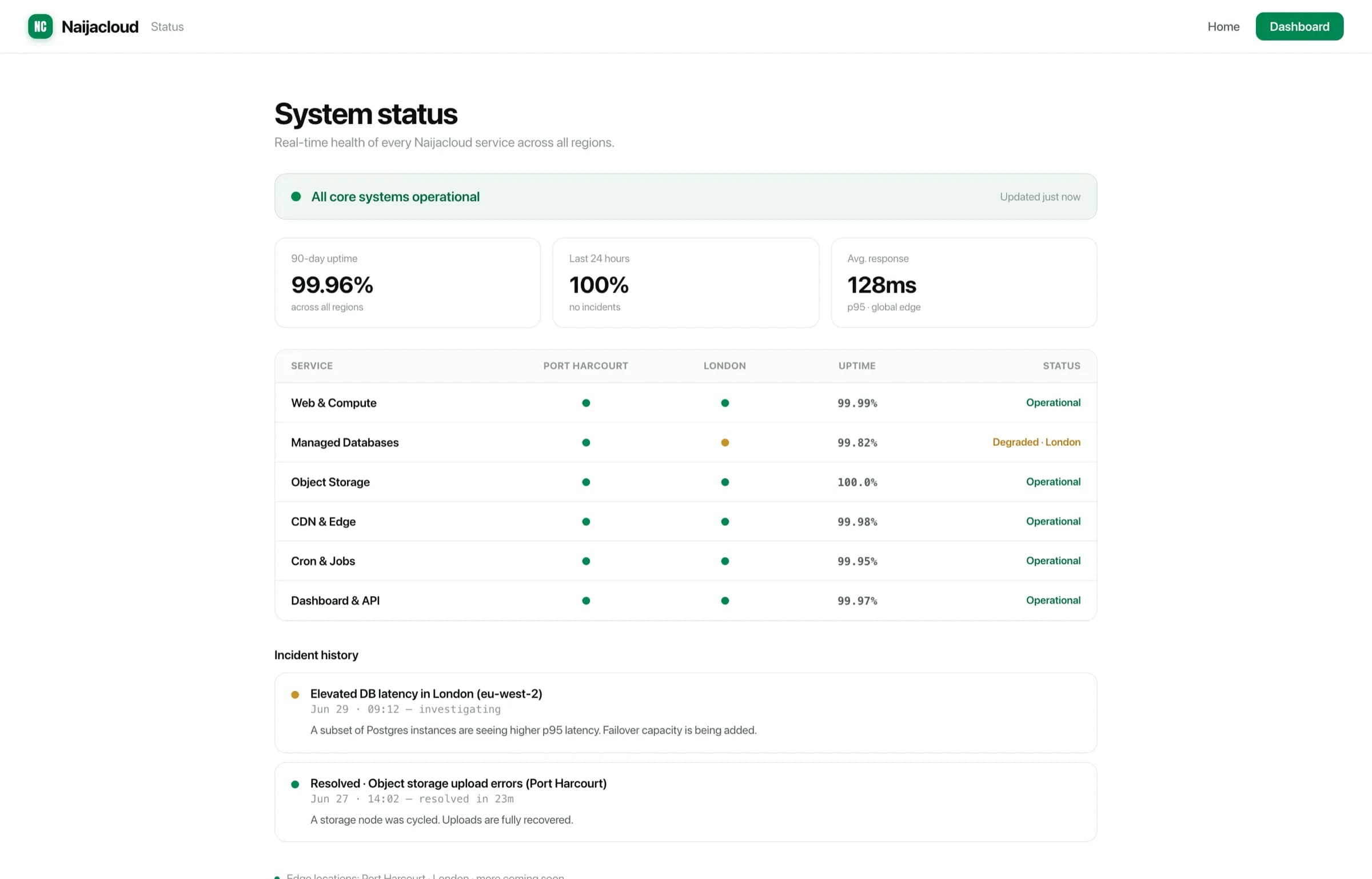
It shows current health per component and region, plus a history of recent incidents and their resolutions.
Ours or yours?
Before opening a ticket, the quick triage:
- Check status for your service's region. A degraded component there explains an outage you did not cause.
- Check activity for a recent deploy or configuration change. That covers most of the rest.
- Check the service's logs for what the process itself is saying.
If status is clear, activity is quiet, and the logs show your application failing, the problem is in the service.
Only one region degraded, and your app is in another? Then the incident is not affecting you. Check your own service before waiting for the incident to close.
During an incident
An open incident is updated as it progresses, through to resolution. If you have a production issue that the incident does not appear to cover, open a ticket and say so. See Getting support.