Introduction
Naijacloud runs your applications on infrastructure inside Nigeria and beyond. Connect a repository and we build it, deploy it behind managed HTTPS, and keep it running. Managed databases, object storage and custom domains sit alongside.
3 min read
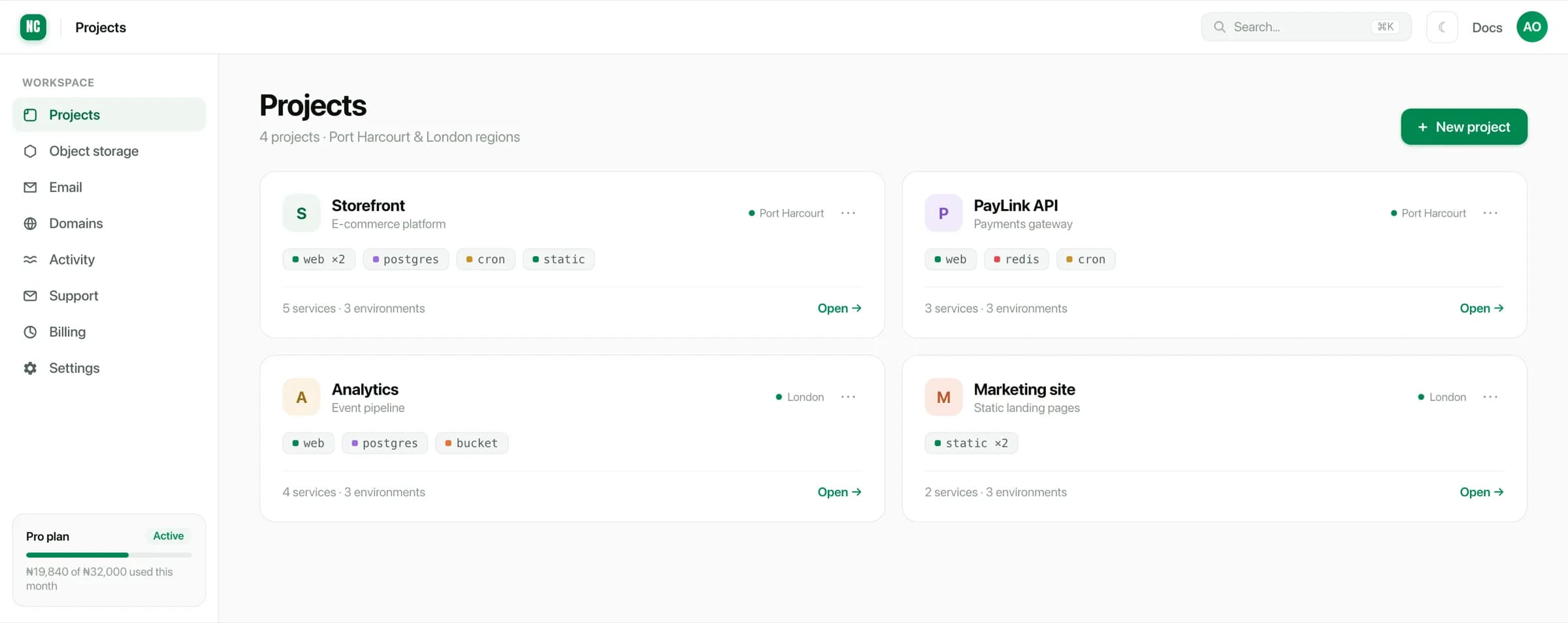
Everything on Naijacloud lives inside a workspace. A workspace holds your projects, your object storage buckets, your domains and your team. It is also the level at which usage is billed.
What you can deploy
Each project groups the services that make up one application. There are five kinds of service, and they all work the same way: choose a source, choose a region and size, then deploy.
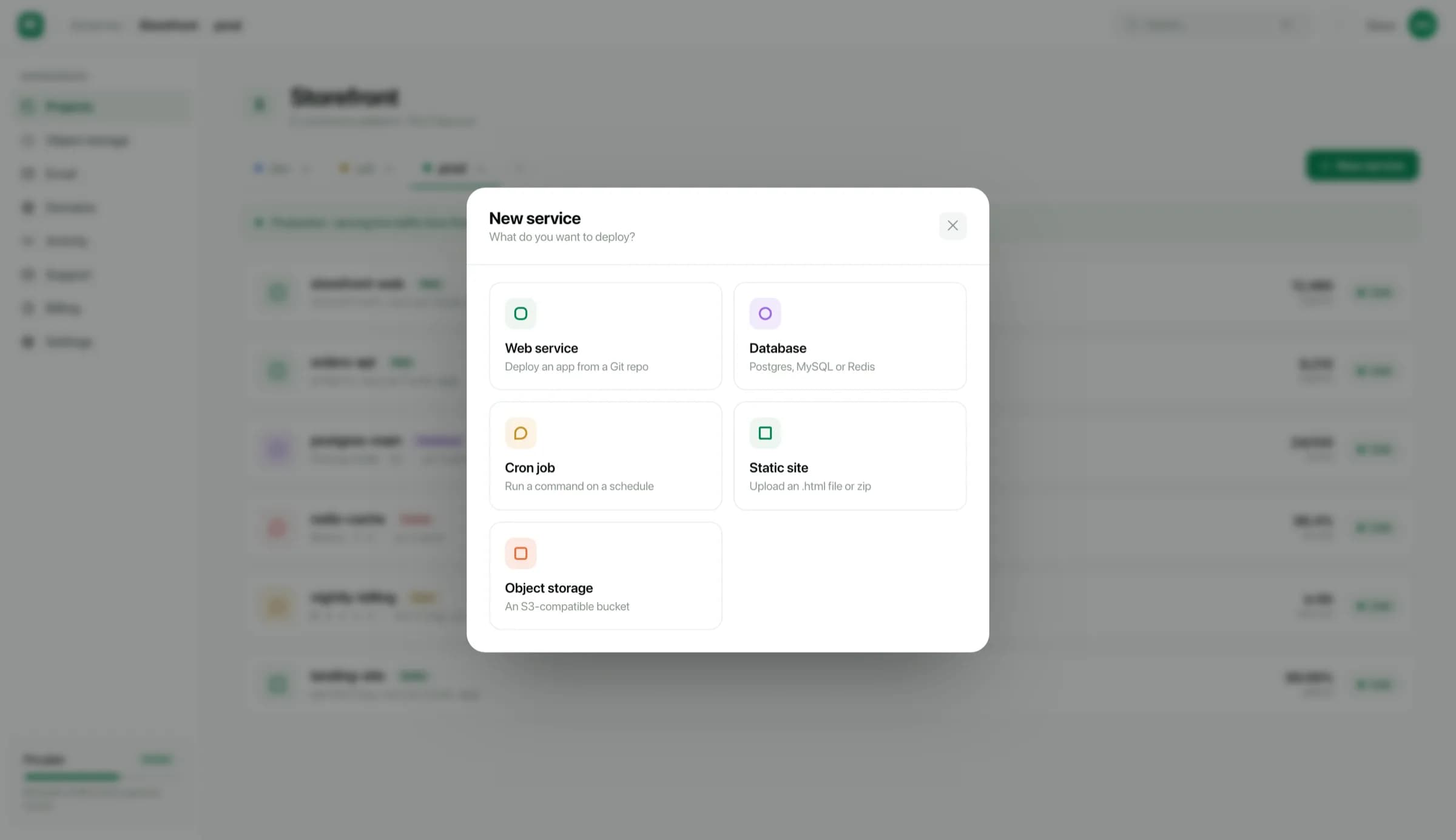
- Web services. A container that serves HTTP traffic, built from your repository and redeployed on every push. See Deploy a web service.
- Databases. Managed PostgreSQL, MySQL or Redis with daily backups. See Managed databases.
- Static sites. A built front end served from disk, with no server process to pay for. See Static sites.
- Cron jobs. A command on a schedule, using the same build as your app. See Cron jobs.
- Object storage. S3-compatible buckets for uploads and assets. See Object storage.
Environments
Inside a project, every service exists once per environment. You get dev,
uat and prod by default. Environments are isolated: a variable set in prod
is never visible to dev, and each environment deploys independently.
Environments are why most teams need only one project per application. Read Projects, environments & services before you create a second project for the same app.
Where to start
If you have a repository ready, the quickstart takes you from an empty workspace to a live HTTPS URL.