Databases
/
Managed databases
Managed databases
A managed database is provisioned rather than built. You choose an engine, a size and a region, and get an instance with daily backups, live metrics and a browser-based editor.
4 min read
Available engines
| Engine | Typically used as |
|---|---|
| PostgreSQL | Primary relational store |
| MySQL | Primary relational store |
| Redis | Cache, queue, session store |
Creating a database
Choose New service → Database.
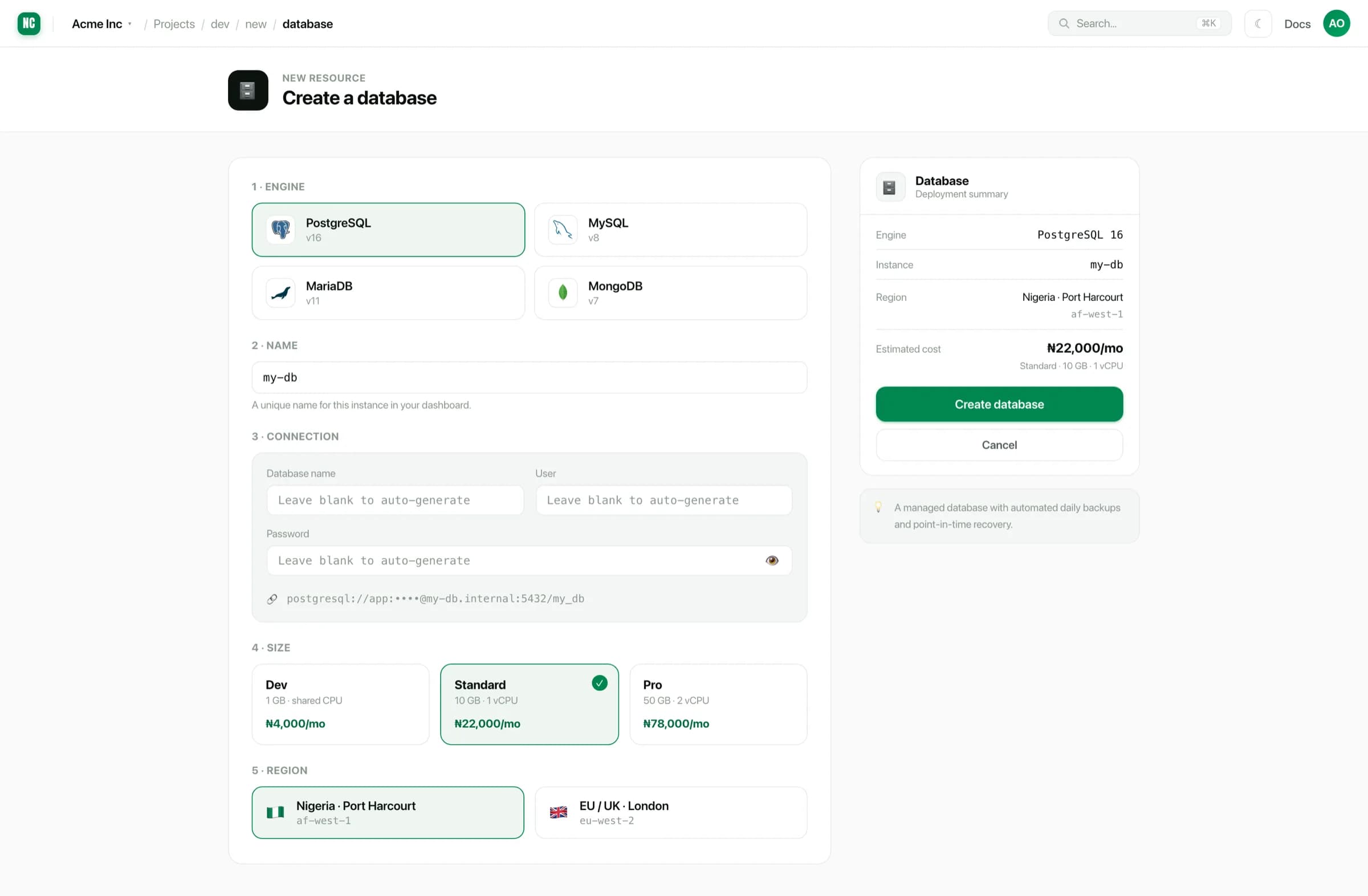
You provide:
- Engine and version.
- Name. How the database appears in the project.
- Region. Put it in the same region as the services that read it.
- Size. Databases have their own tiers, including a small Dev size for non-production environments.
Database name, user and password can be left blank to be generated. Generated credentials are strong and unique, which is what you want unless you are migrating and need to match an existing configuration.
Put the database in the same region as the app that queries it. Applications make many queries per request, so a cross-region database multiplies the network cost by the number of queries. See Instance types & regions.
The overview
Once provisioned, the database's overview shows what it is, how it is doing and how much room is left.
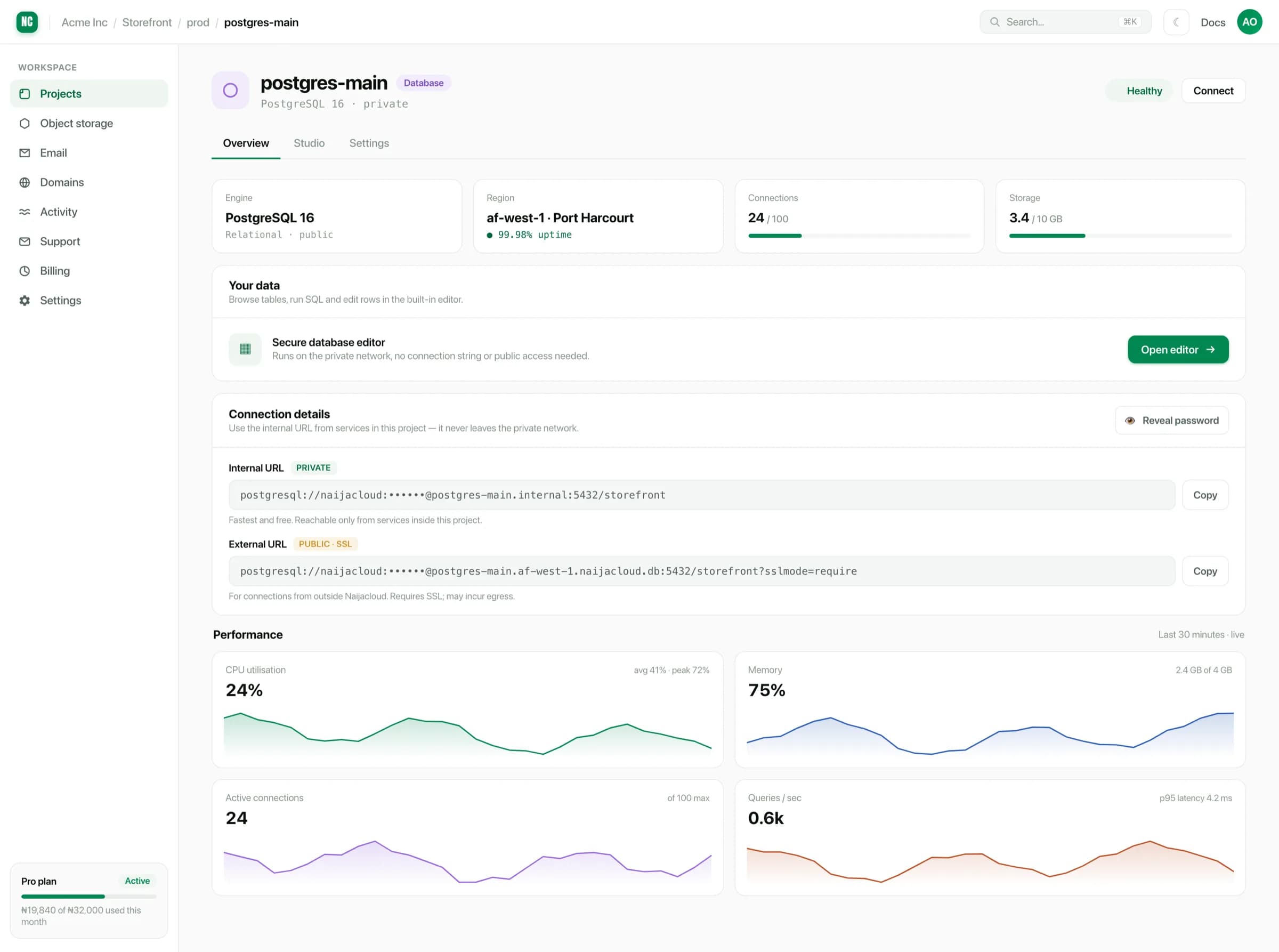
Two numbers to keep an eye on:
- Connections, against the instance's limit. Exhausting connections is the most common production database failure, and it usually means the application is opening connections per request instead of using a pool.
- Storage, against the size included with the tier.
Private by default
Databases are provisioned to be reachable by your own services, not published to the internet. A database with a public endpoint only needs one leaked password to become someone else's.
See Connecting to a database for how your services reach it, and how to work with it yourself.