Databases
/
Connecting to a database
Connecting to a database
Your services reach a database over the internal network, using details the platform gives you. The one thing you must get right in your own code is pooling.
5 min read
Getting the connection details
Open the database and choose Connect. You get the host, port, database name, user and password, and a ready-made connection string.
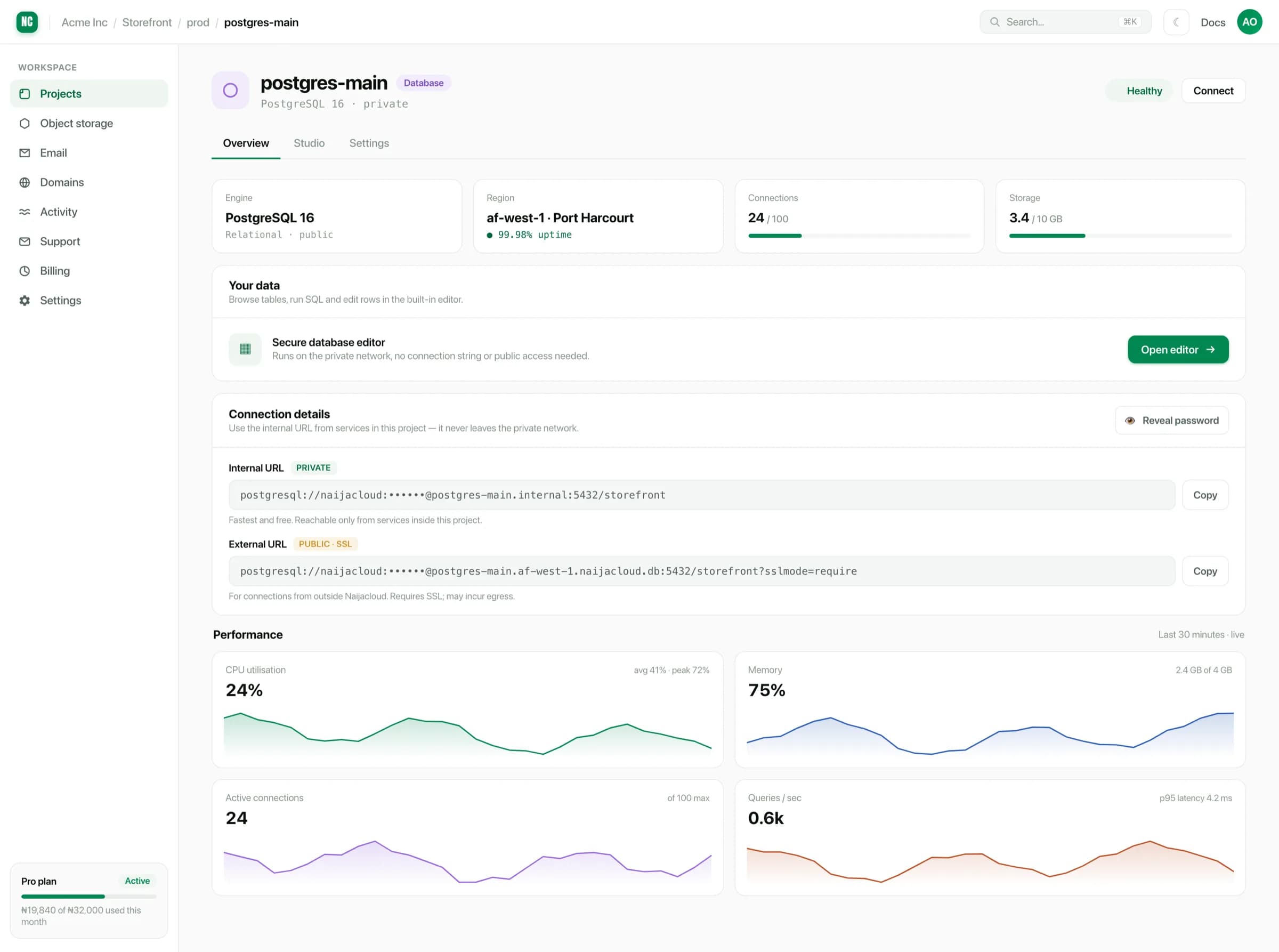
Copy the details from there rather than writing them by hand. The host differs from what you would guess, and the password is generated.
Use the internal host
A database is reachable by your own services over the internal network. Use the internal host in your application's connection string: traffic stays inside the region and never crosses the public internet.
Environment variable
DATABASE_URL=postgresql://USER:PASSWORD@HOST:PORT/DATABASESet it as an environment variable on the service, scoped to the environment that should use that database. See Environment variables. Never commit it to the repository.
Each environment should point at its own database. A dev service holding the
prod connection string is how test data ends up in production reporting.
Pooling is not optional
Every database instance has a maximum number of connections, and it is much smaller than the number of requests your app will serve. A pool holds a small number of connections open and lends them out.
Create the pool once, at module scope, and reuse it:
db.js
import { Pool } from 'pg';

// One pool for the process, not one per request.
export const pool = new Pool({
  connectionString: process.env.DATABASE_URL,
  max: 10,
  idleTimeoutMillis: 30_000,
});
Using it
import { pool } from './db.js';

export async function getOrder(id) {
  const { rows } = await pool.query('select * from orders where id = $1', [id]);
  return rows[0];
}Creating a client inside a request handler opens a connection per request. Under any real traffic the instance's connection limit is reached, and every subsequent query fails, including the ones from healthy code. If the Connections figure on the overview climbs and does not come back down, this is why.
Size the pool against the instance limit, and remember that each running copy of your service has its own pool: several services sharing one database each need a share of the total.
Working with it yourself
For your own queries, use the built-in editor: checking data, running a migration by hand, inspecting a schema. It talks to the database over the internal network, so nothing has to be exposed to reach it.
See The database editor.
Migrations
Run migrations from your application's own tooling, as part of a deploy or as a cron job. Two things to keep in mind:
- Make migrations safe to run twice. A deploy can be retried.
- Roll out schema changes so the previous version of the code still works against the new schema. Add a column before you require it, and remove it a release later. Otherwise a rollback breaks against a schema it cannot read.