Deploy
/
Environment variables
Environment variables
Variables are scoped to an environment, so a production value never leaks into development. Files your app needs to read from disk are handled separately, as secret files.
4 min read
Setting variables
Variables can be set when you create a service, and edited afterwards from its Variables tab. Each has a key, a value, and a scope.
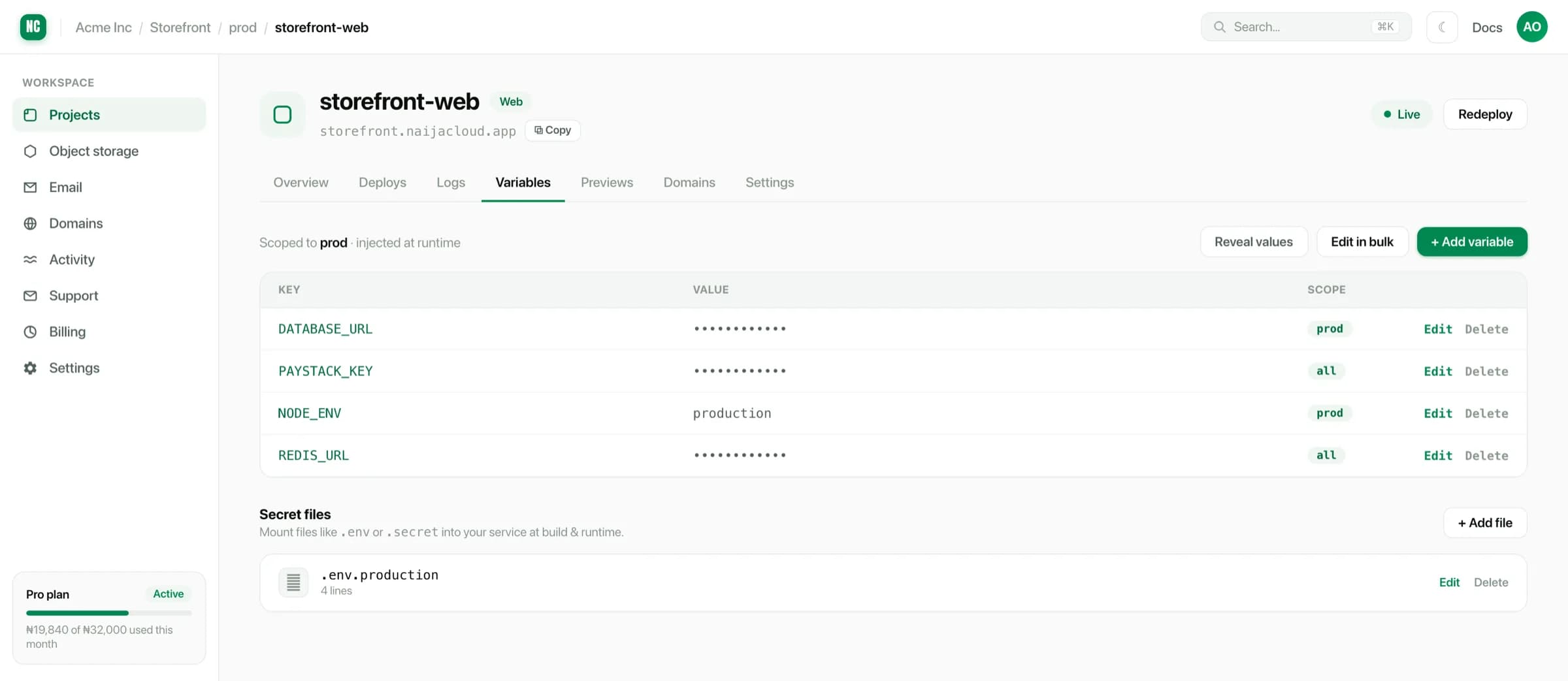
For a long list, the bulk editor accepts KEY=value lines pasted straight from a
local .env file, which is faster than adding them one at a time.
Scoping
A variable is scoped either to one environment or to all environments:
| Scope | Visible in |
|---|---|
| A single environment | Only that environment |
| All environments | dev, uat and prod |
Scope to a single environment for anything that differs per stage, like a database URL, a payment key or a log level. Scope to all environments only for values that are genuinely identical everywhere.
Values are masked in the interface once saved. Reveal a value deliberately when you need it. We never print it in logs, though your own application can of course log it.
Changing a variable restarts the service
Saving a variable change restarts the service with the new value, because a process reads its environment once at startup.
Set the variable before you deploy the code that reads it. Deploying code that expects a variable that does not exist yet gives you a crash loop until the value lands.
Secret files
Some configuration is not a string. A service account JSON, a private key or a certificate chain all go in Secret files instead: you give a path and contents, and the file is written into the container at runtime.
Common secret file paths
.env
credentials.json
certs/client.pem
Contents are encrypted at rest and are not written into the built image, so they are not baked into anything you might later export.
Read them from your application the way you would read any file:
Reading a secret file
const creds = JSON.parse(
  await readFile(new URL('./credentials.json', import.meta.url), 'utf8'),
);
Variables you get automatically
Some values are supplied for you:
PORT, the port your service must listen on. See Builds & start commands.- Database connection details, when you attach a managed database to the service. See Connecting to a database.