Deploy
/
Connecting a source
Connecting a source
Every buildable service has a source. There are three kinds, and you can change a service's source later without recreating it.
4 min read
Git provider
The usual choice. Authorise Naijacloud against your account, grant access to the repositories you want to deploy, then pick a repository and branch.
Once connected, every push to that branch deploys automatically. No webhook or CI file to add.
Access is granted per repository. If a repo you expect is missing from the list, the grant needs widening on the provider side. Reopen the authorisation, add the repo, then refresh the picker.
Public repository
For a repository you do not own, or one you would rather not authorise against, paste its HTTPS clone URL and choose a branch. The repository must be publicly readable, since no credentials are used.
Public repository URL
https://github.com/acme/example-appPublic-repository services build the commit that was current when you deployed. Because there is no webhook from a repo you do not control, pushes upstream do not trigger a deploy. Use Redeploy to pick up new commits.
Existing image
If you already build images elsewhere, point the service at one instead. There is no build step: the image is pulled and run as-is, so the build command is ignored and only the start command, variables, region and size apply.
This is the right option when your build has requirements our builder does not cover, or when the same image is deployed to more than one place.
Images are for web services, static sites and cron jobs only. Databases and buckets are provisioned by the platform, so they take no image.
Changing the source later
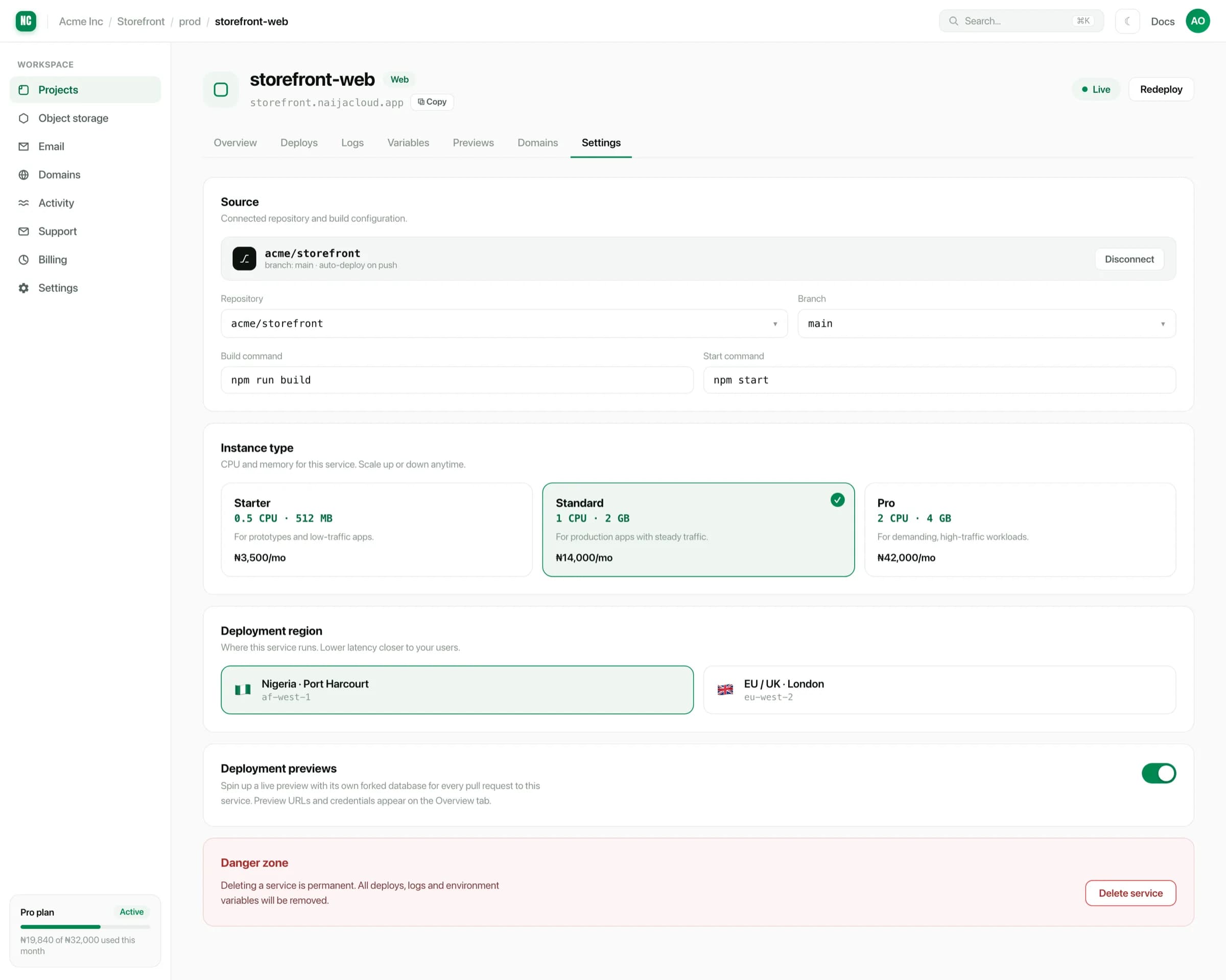
A service is not locked to the source it was created with. From the service's Settings tab, the Source card can change:
- the repository,
- the branch,
- the source kind (for example, from a public repository to a connected one).
Saving the change triggers a rebuild from the new source. The version currently serving traffic keeps running until the new build is healthy.
Monorepos
If the service lives in a subdirectory of a larger repository, set the root directory so the build runs in the right place. See Builds & start commands.