Deploy
/
Cron jobs
Cron jobs
A cron job builds from your repository like a web service, but instead of staying up to serve traffic it runs a command on a schedule and exits.
4 min read
Creating a cron job
Choose New service → Cron job.
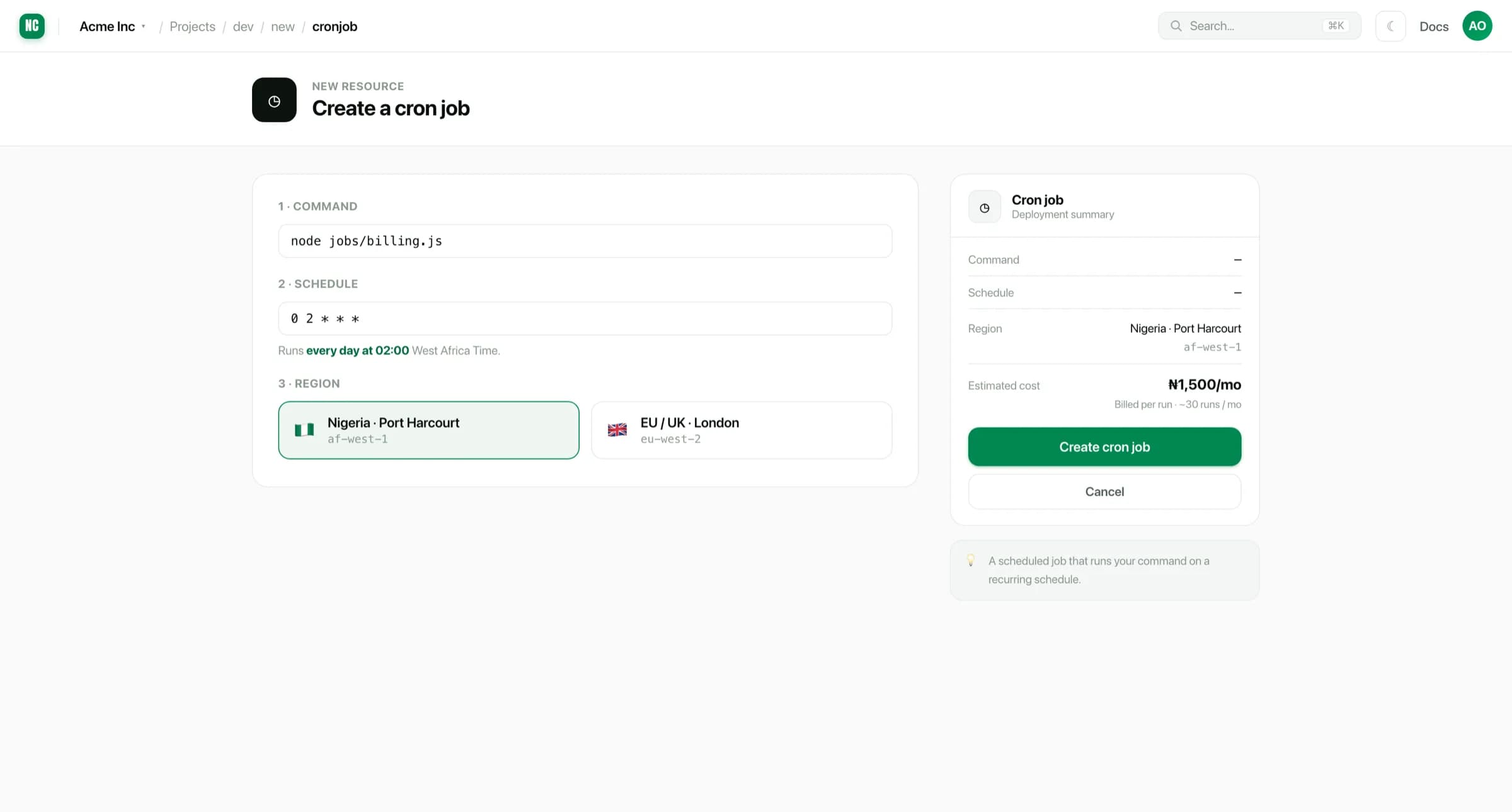
You provide a source, a schedule, and the command to run.
The schedule
Schedules use standard cron expressions, in five fields:
Field order
┌─────────── minute (0–59)
│ ┌───────── hour (0–23)
│ │ ┌─────── day of month (1–31)
│ │ │ ┌───── month (1–12)
│ │ │ │ ┌─── day of week (0–6, Sunday = 0)
│ │ │ │ │
0 2 * * *
Some common ones:
| Expression | Runs |
|---|---|
*/15 * * * * | Every 15 minutes |
0 * * * * | Hourly, on the hour |
0 2 * * * | Daily at 02:00 |
0 2 * * 1 | Mondays at 02:00 |
0 0 1 * * | First of the month, midnight |
Schedules run in UTC. A job set to 0 2 * * * runs at 03:00 in Nigeria
(UTC+1). Offset the expression if the job needs to land at a particular local
hour.
The command
The command runs inside the built image, so it has your dependencies and your environment variables available:
Examples
node scripts/billing.js
npm run send-reminders
python -m tasks.reconcile
Unlike a web service, the command is expected to finish. A run that exits zero succeeded. A non-zero exit is recorded as a failure.
A cron job that never exits will not be killed and rescheduled cleanly. It holds its slot instead. Make sure long tasks terminate, and put a timeout around anything that talks to a third party.
Runs and logs
Each run is recorded with its start time, duration and exit status, and its output is kept alongside.
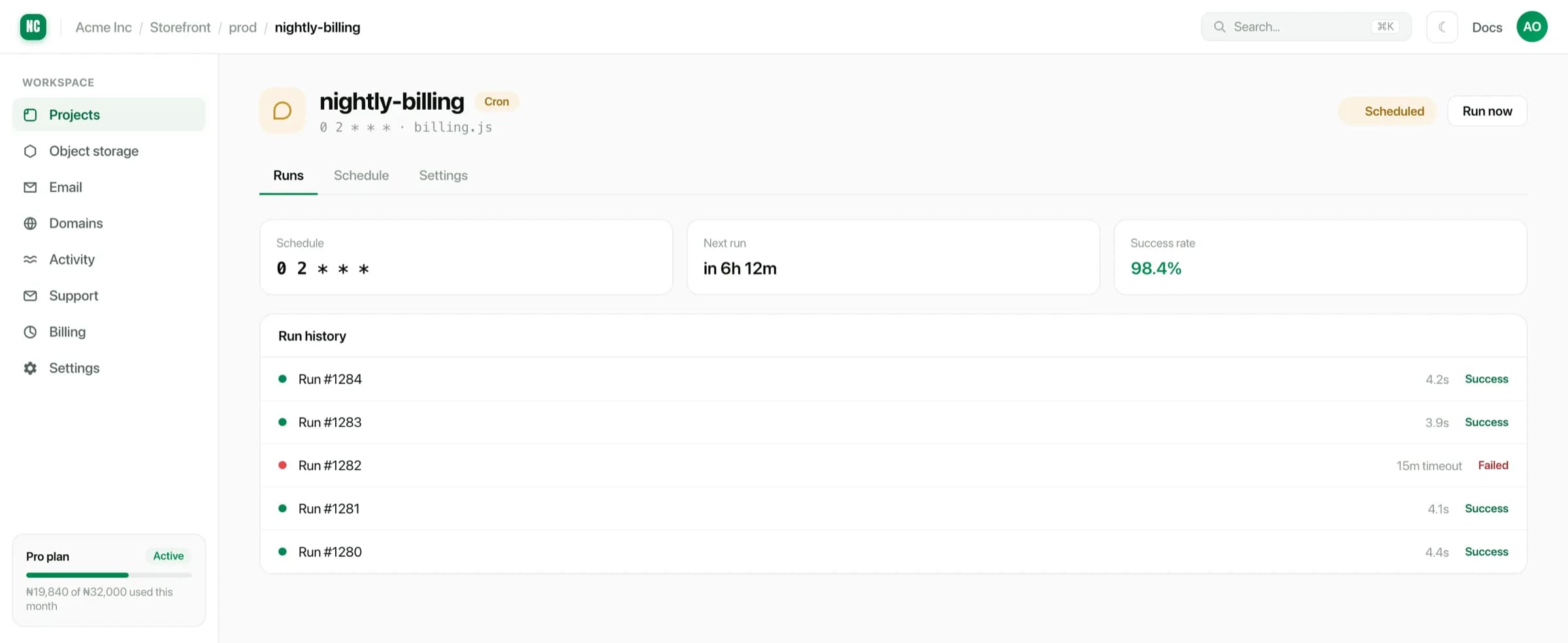
Because a job only exists while it runs, cron jobs are billed on run time rather than continuously.
Writing a job that can run twice
Schedulers retry, deploys overlap, and a slow run can still be going when the next is due. Write jobs so a repeat is harmless:
- Key work by something stable, like an invoice ID or a date, then check whether it is already done before doing it.
- Prefer a single statement that inserts-or-updates over read-then-write.
- Record that a step completed as part of the same transaction as the step.