Deploy
/
Deploy a web service
Deploy a web service
A web service is a container that serves HTTP traffic. Connect a repository and Naijacloud builds it, runs it, and routes traffic to it behind a managed HTTPS URL, redeploying on every push.
6 min read
Prerequisites. A Naijacloud account and a Git repository. If your app needs a database, you can create one first and reference it from the service's variables. See Managed databases.
1. Create the service
Open a project, pick the environment tab you want to deploy into, then choose New service → Web service.
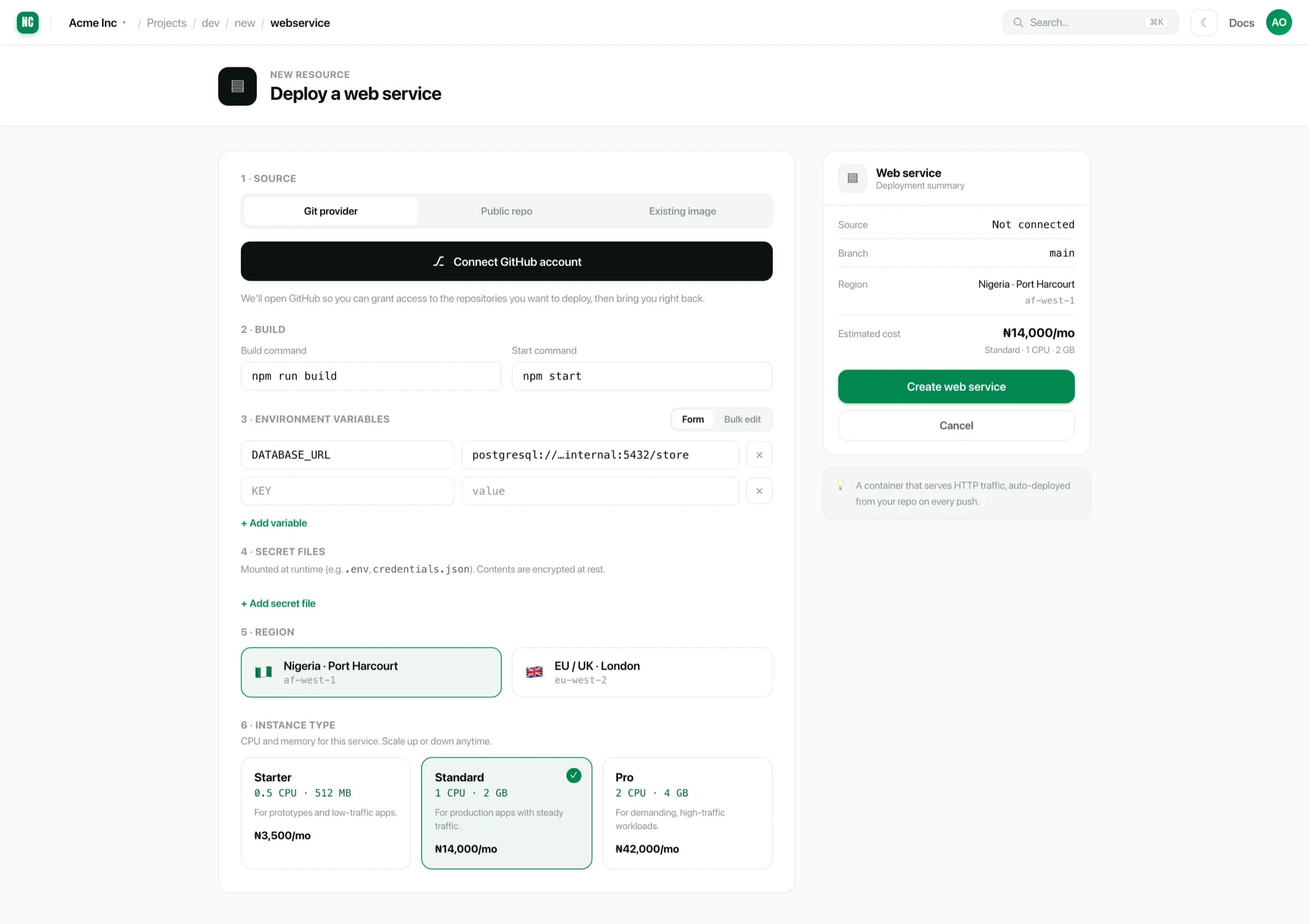
The summary panel on the right updates as you fill the form, so the region, instance type and estimated monthly cost are visible before you commit.
2. Connect a source
Naijacloud can build from a connected Git provider, a public repository URL, or an image you already have. For a repository, authorise access and choose the repo and branch. Pushes to that branch then deploy automatically.
Full detail, including how to change the source later, is in Connecting a source.
3. Configure the build
Most stacks are detected, and the build and start commands are filled in for you. A typical Node service resolves to:
Detected commands
npm run build
npm start
Override either field when your project needs something different, such as a monorepo package, a different package manager or a custom entry point. See Builds & start commands.
The start command must run a long-lived process that listens on a port. A command that builds and exits will fail the health check. Static front ends should be deployed as a static site instead.
4. Set environment variables
Add anything your app reads at runtime. Values are scoped to the environment you are deploying into unless you mark them as shared.
For files rather than values, such as a service account JSON or a certificate, use Secret files. They are written to disk at runtime and encrypted at rest.
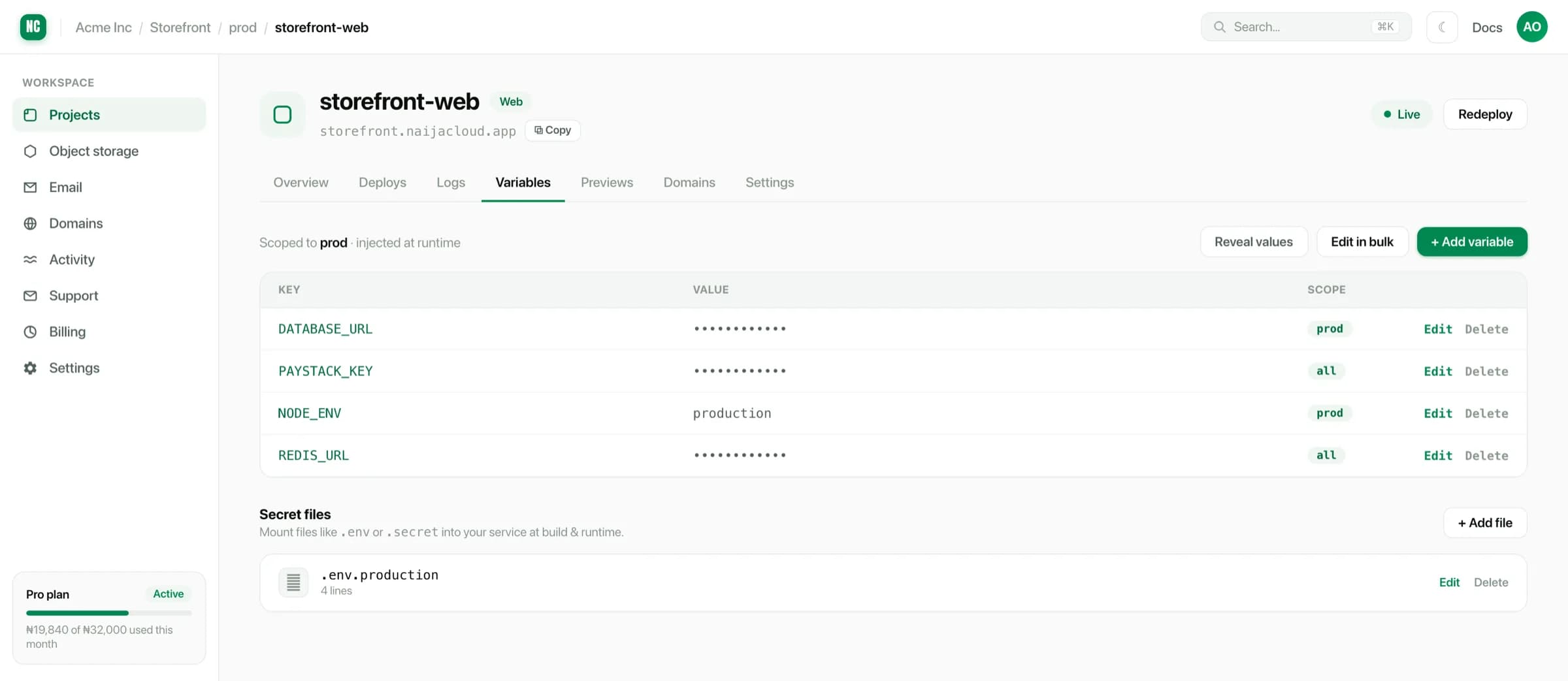
See Environment variables for scoping rules and the restart behaviour.
5. Choose a region and size
Pick the region closest to your users, and an instance type sized to the workload. Both can be changed later from the service's Settings tab. See Instance types & regions.
6. Deploy
Choose Create web service. Naijacloud clones the repository, builds an image, starts the container, and waits for it to respond before routing traffic.
deploy output
Cloning storefront-web @ a3f9c1d
Installing dependencies ... done
Running build ............. done
Starting container ........ done
Health check (/) .......... 200 OK
Deployed to prod
Releases are zero-downtime: traffic moves to the new version only once it is healthy. If the build or health check fails, the previous version keeps serving and the deploy is marked failed.
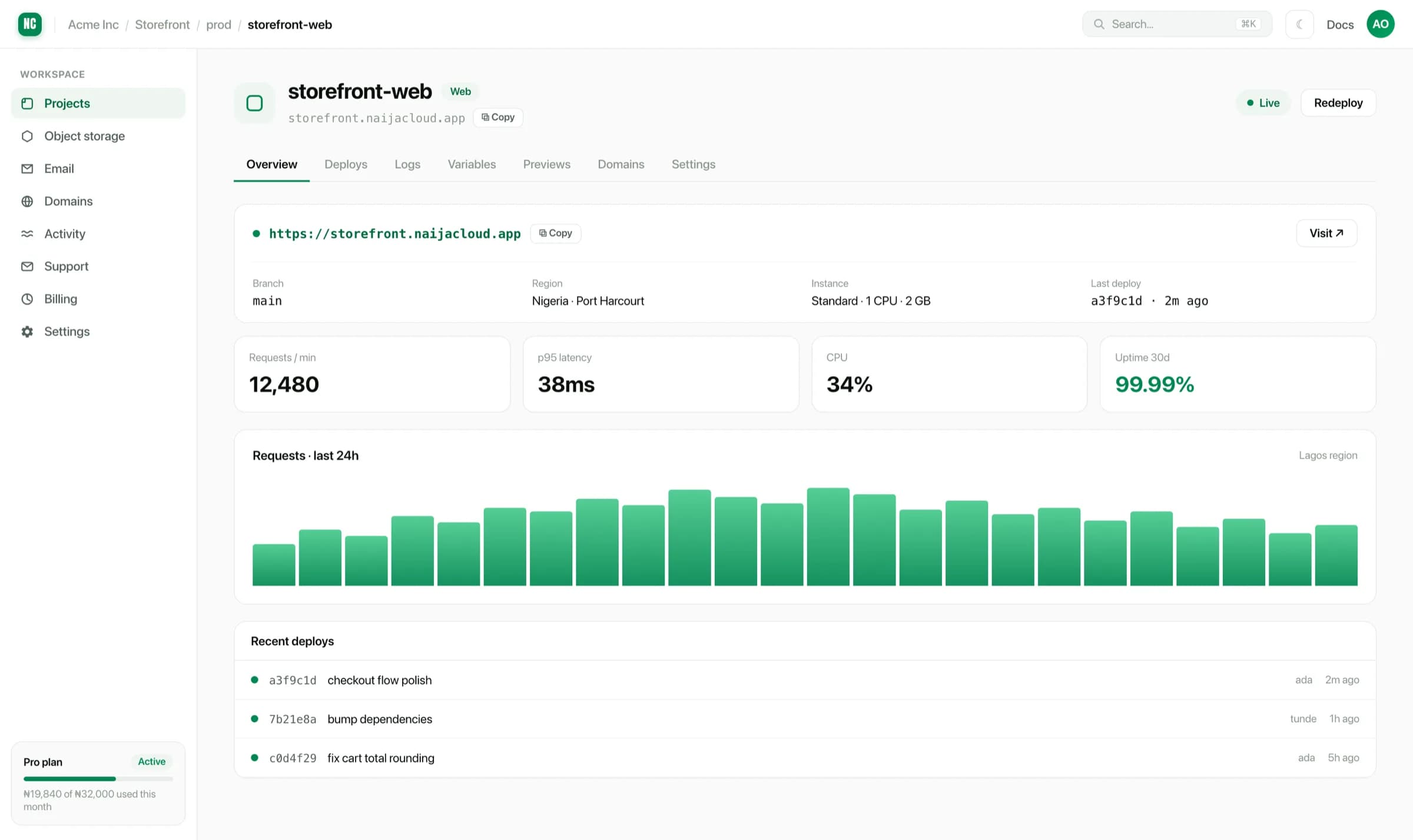
Redeploying and rolling back
- Redeploy rebuilds the current branch from its latest commit.
- Any earlier deploy in the history can be redeployed to roll back.
- A deploy still in progress can be cancelled without disturbing the version currently serving traffic.
See Deploys, logs & rollbacks.