Domains
/
Registering a domain
Registering a domain
You can register a domain from the dashboard rather than bringing one from elsewhere. Domains bought here arrive with DNS already managed, so pointing them at a service is one step.
3 min read
Searching and buying
From Domains, search for the name you want. Available names are shown with their price. Taken names are marked as unavailable.
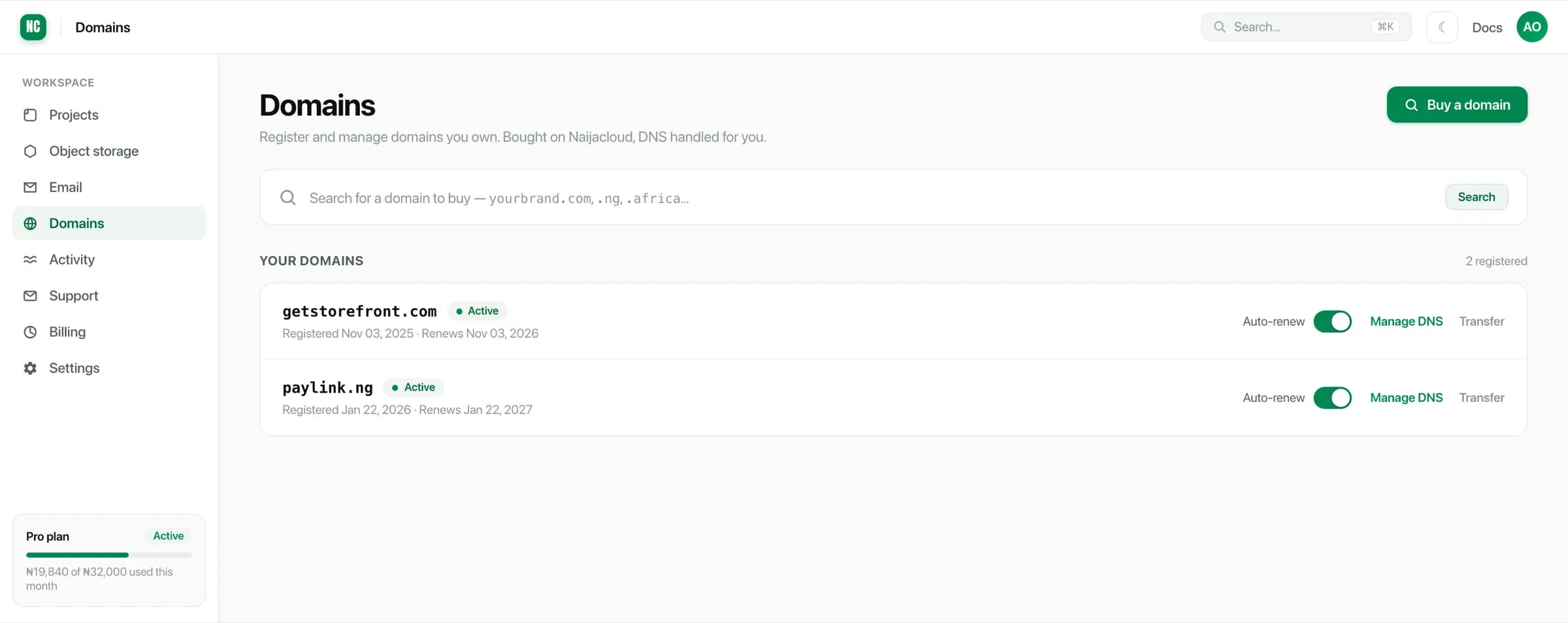
Complete the purchase and the domain appears under Your domains, active, with DNS ready to manage.
Renewals
Each domain shows its registration and renewal dates, and an auto-renew toggle.
Leaving auto-renew on is the safe default. A domain that lapses can be re-registered by anyone, and getting it back is often impossible. Every link, email address and DNS record on it breaks at once.
Auto-renew needs a working payment method. If the card on file has expired, the renewal fails even with the toggle on. See Usage & billing.
Pointing a domain at a service
Because DNS is already managed, there is no nameserver change to make:
- Add the domain to the service, on its Domains tab.
- Add the record you are shown, under Manage DNS.
- Wait for it to verify. The certificate is then issued for you.
See Custom domains and DNS records.
Transferring a domain
A registered domain can be transferred away, using the Transfer action to begin the process. Transfers are governed by registry rules, including a period after registration during which a domain cannot be transferred at all. Allow time for one rather than planning it against a deadline.
Bringing a domain in from another registrar is not required to use it here: you can leave it where it is and just point its DNS at your services.